TERMS AND DEFINITIONS AUTODESK REVIT ELEMENTS
Most of the terms used to define objects in Revit are standard, universally accepted terms. Most architects will be familiar with them. However, there are a number of terms that are unique to Revit, and knowledge of these terms is essential to an understanding of how this program works.

Revit uses 3 types of elements in projects:
- model elements
- datum elements
- view-specific elements
Let’s start by talking about «Project»
In Revit, the project is the single database of information for your design — the building information model. The project file contains all information for the building design, from geometry to construction data.
This information includes components used to design the model, views of the project, and drawings of the design.
Project management is simplified because only one file is used to track changes.

«Family»
All elements in the Revit platform are part of a family and fit into a well-defined hierarchy. Creating a project consists of adding parametric elements to the model.
All elements fall into one of two categories: model components and view-specific elements.
— Model elements, such as a door, table, or roof, directly form the three-dimensional geometry of a building.
— View-specific elements, such as room labels, are used to create the working documentation.

Elements are classified into families
They group elements together that have a common set of parameters (properties), play similar roles in the model, and have similar graphical representations.
Elements in a family may differ in their property values. However, the set of properties — their names and purpose — remains the same.
For example, even though the specific doors that make up the family may be of different sizes and materials, all rounded doors can be treated as a family.
Most of the families are external files. That is, they can be loaded into a project and created from family templates.
You will be able to define a set of properties and a graphical representation for the family.
Elements in Revit are also part of a family
Families describe the geometry of an item and the parameters it uses.
Each instance of an element is defined and controlled by a family.
The actual 3D geometry of a building is represented by model elements. These are the elements that are displayed in the appropriate views of the model.
Examples of elements include:
— Walls, windows, doors, and roofs;
— Storage walls, floors, and ramps;
— Sinks, boilers, ducts, sprinklers, and electrical panels.
Datum elements help define the content of the project. Examples are grids, planes, and reference planes.
View-specific elements are elements that appear only in the views in which they are placed. They aid in the description or documentation of models.
View-specific elements include dimensions.
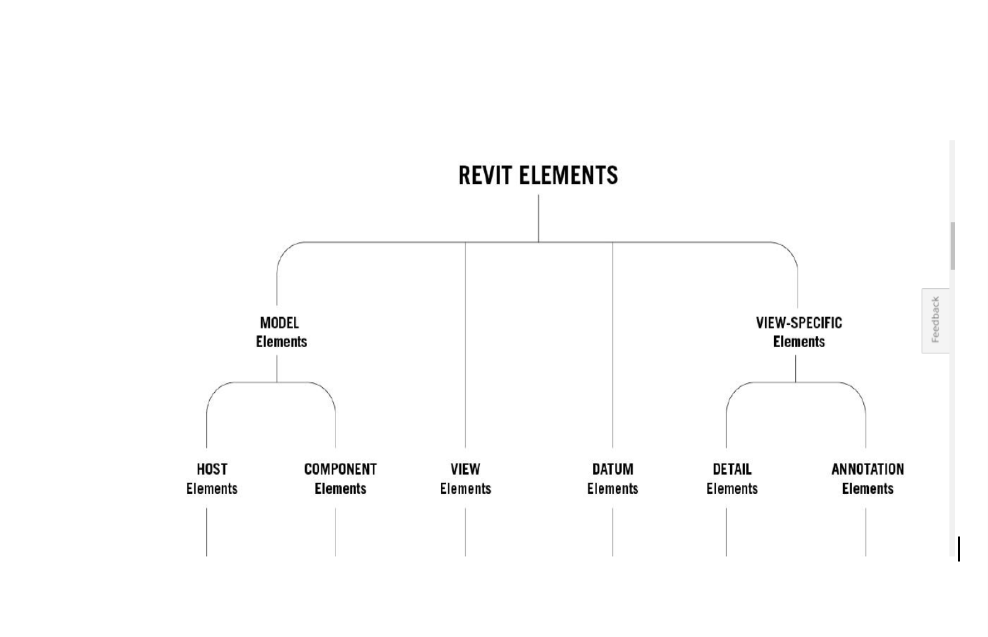
In Revit, the elements determine their behavior largely from their context in the building
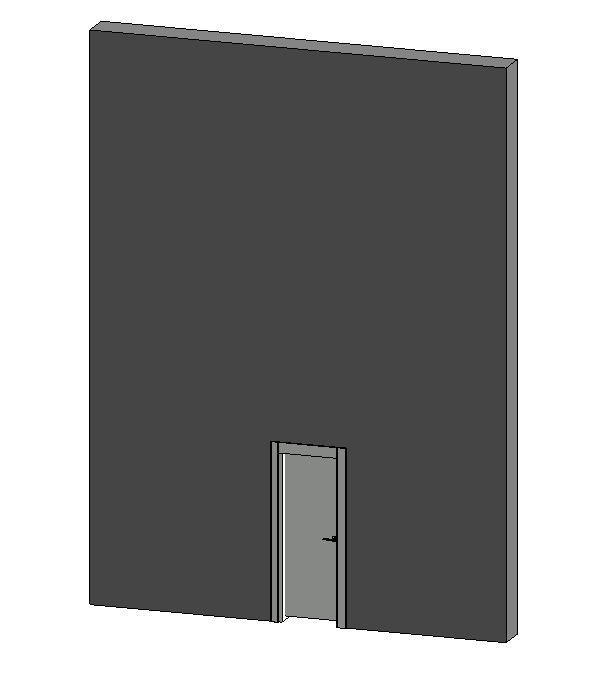
There are two types of model elements
Host elements are elements that are typically in place.
⠀— Walls and ceilings;
⠀— Floors and roofs;
Component Elements — all types of elements in the building model.
— Windows, doors, and cabinets;
— Beams, struts, and supporting columns;
— Sinks, boilers, ductwork, sprinklers, and electrical panels.
View-specific elements are of two types:
— Annotation elements are 2D components that document the model and maintain scale on paper. For example, dimensions, tags, and keynotes are annotation elements.
— Details are 2D items that provide details about the building model in a particular view.

THE DESIGNER HAS FLEXIBILITY WITH THIS IMPLEMENTATION.
NO PROGRAMMING IS REQUIRED TO CREATE AND MODIFY REVIT ELEMENTS.
THE DEFINITION OF NEW PARAMETRIC ELEMENTS IS ALSO POSSIBLE IN REVIT.